Chapter 6 · Journey step 10
Report and SWOT: see what's strong and what to revise
Report turns every lesson, doubt and test into a picture of how you're doing: your weekly numbers, the topics to focus on and a SWOT report for every topic you've studied.
- Best for
- Finding what to revise
- Time
- 5 min a week
- Where
- Report tab
- Plan
- Free: strongest and weakest topic
The Report screen
What each numbered part does.
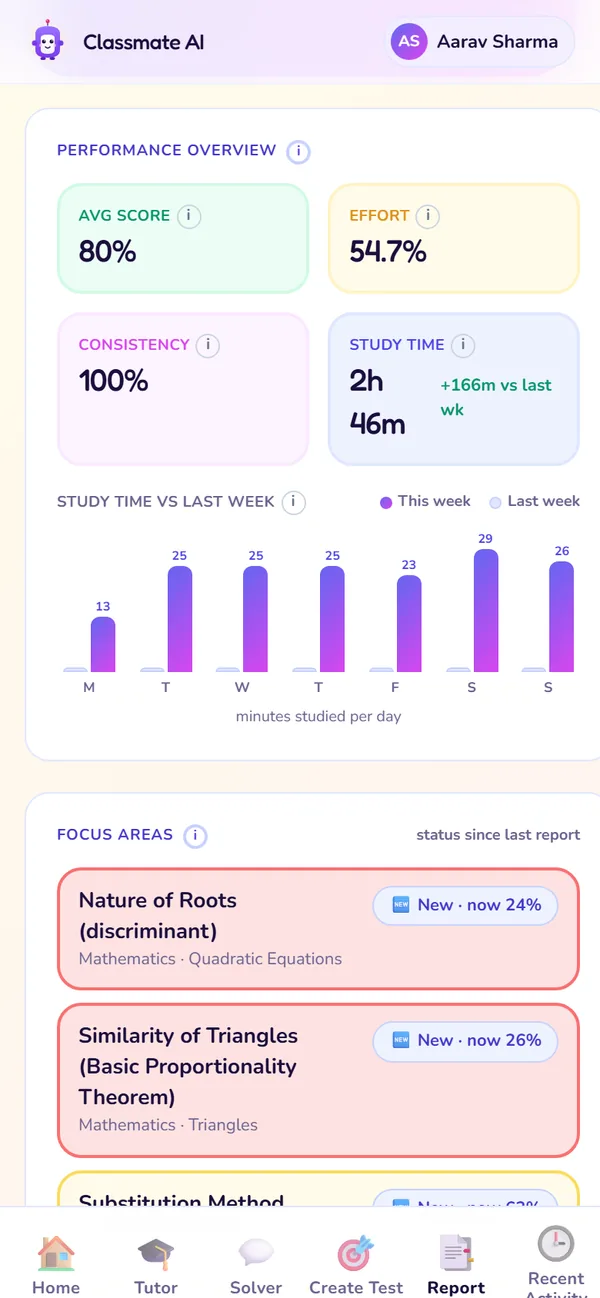
Performance overview
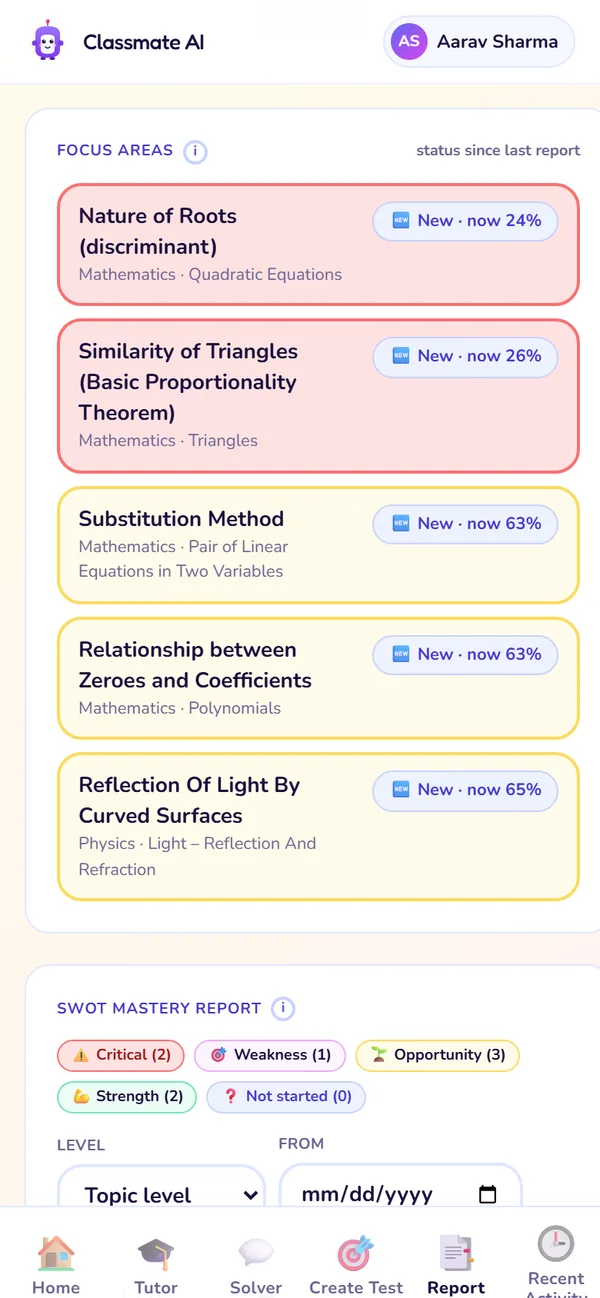
Focus areas
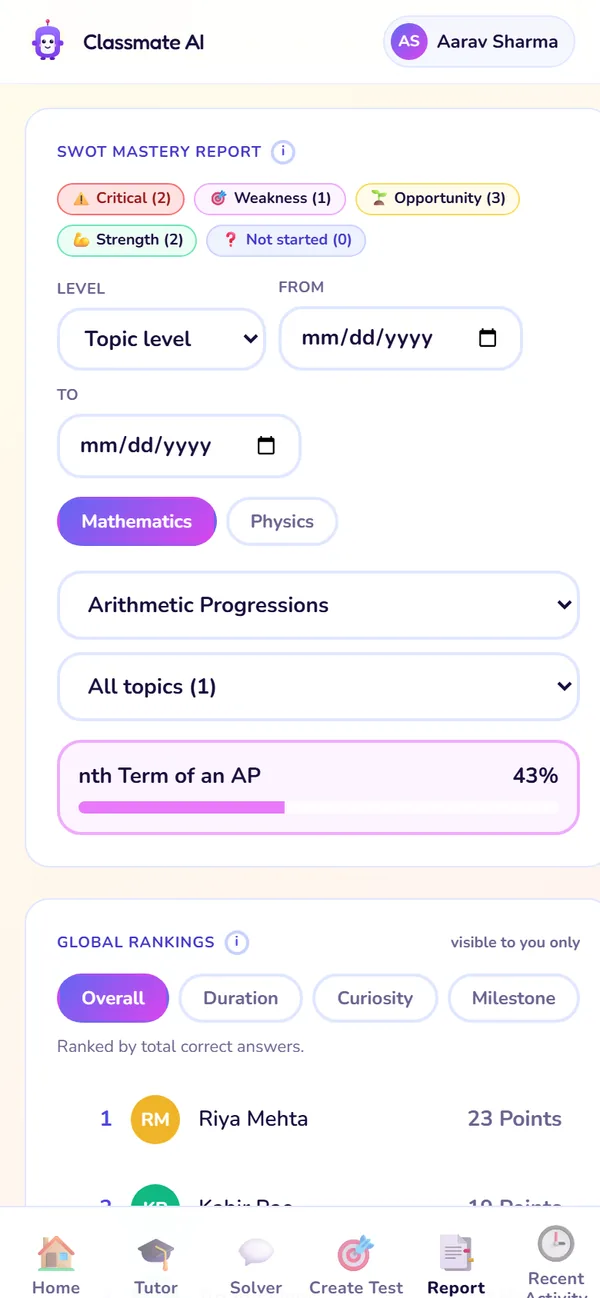
SWOT mastery report
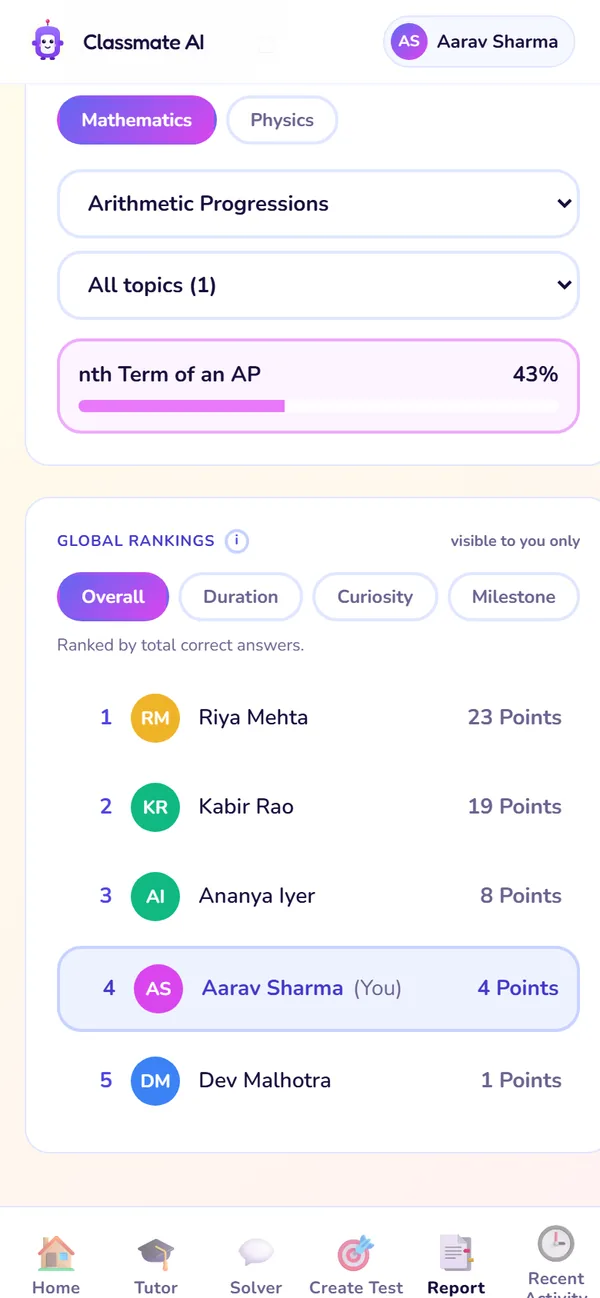
Global rankings
- 1
Performance overview
Average score, effort, consistency and study time, compared with last week.
Use it: Every weekend, to see if you're improving.
- 2
Focus areas
Topics that need your attention right now.
Use it: To decide what to study next.
- 3
SWOT mastery report
Every topic you've studied, grouped by band. Filter by topic or chapter, dates and subject.
Use it: Before exams, to find weak topics in one chapter.
- 4
Global rankings
How you compare on overall score, study time, curiosity and milestones. Only you can see your rank.
Use it: For a bit of motivation.
The SWOT bands
Every topic gets a mastery score from 0 to 100, updated after each lesson, doubt and test. The score decides its band.
Strength
Mastery 90 and above
You've mastered this topic. It counts as mastered on your progress bar.
Do: Keep it fresh with an occasional test.
Opportunity
Mastery 60 to 89
Nearly there. A little practice turns it into a strength.
Do: Practise these next for quick gains.
Weakness
Mastery 40 to 59
You know parts of it, but there are gaps.
Do: Redo the Tutor lesson, then practise.
Threat
Mastery below 40
Likely to cost you marks right now.
Do: Revise these first before a test.
A topic gets a band once you've answered enough questions on it. Until then it shows as not assessed yet.
Use SWOT before an exam, step by step
- 1Open Report and scroll to the SWOT mastery report.
- 2Filter by the subject and chapters in your exam.
- 3Start with Threats: redo the Tutor lesson for each one.
- 4Then Weaknesses, then Opportunities: a short test on each turns them into strengths.
- 5Keep Strengths fresh with one mixed test from Create Test.
Global rankings
Rankings compare you with other students in your class and board on overall score (correct answers), time spent in Tutor, curiosity (how many different concepts you explore in Tutor) and milestones. Only you can see your rank.
Plan limits for Report
| Free | Premium (and the 7-day trial) | |
|---|---|---|
| Performance overview | Yes | Yes |
| Focus areas | Yes | Yes |
| SWOT mastery report | Strongest and weakest topic | Full report with filters |
| Global rankings | Yes | Yes |
Performance overview
- Free
- Yes
- Premium (and the 7-day trial)
- Yes
Focus areas
- Free
- Yes
- Premium (and the 7-day trial)
- Yes
SWOT mastery report
- Free
- Strongest and weakest topic
- Premium (and the 7-day trial)
- Full report with filters
Global rankings
- Free
- Yes
- Premium (and the 7-day trial)
- Yes
Questions about Report
Why is my Report or SWOT empty?
Does the warm-up count?
How fast does a topic move bands?
Still stuck?
Check Troubleshooting & FAQ, or write to us at contact@classmateai.in.
Was this page helpful? ·