Chapter 1 · Journey steps 1–5
Getting started: create your account and set up
From opening Classmate AI for the first time to landing on your Home screen. It takes about 10 minutes, and you only do it once.
Before you start, keep ready
- An email inbox you can open now
- Your board (CBSE or ICSE) and class (8, 9 or 10)
- A parent nearby who can read you a code from their email
Sign up with your email
Classmate AI uses a 6-digit code instead of a password. The same steps also log you back in later.
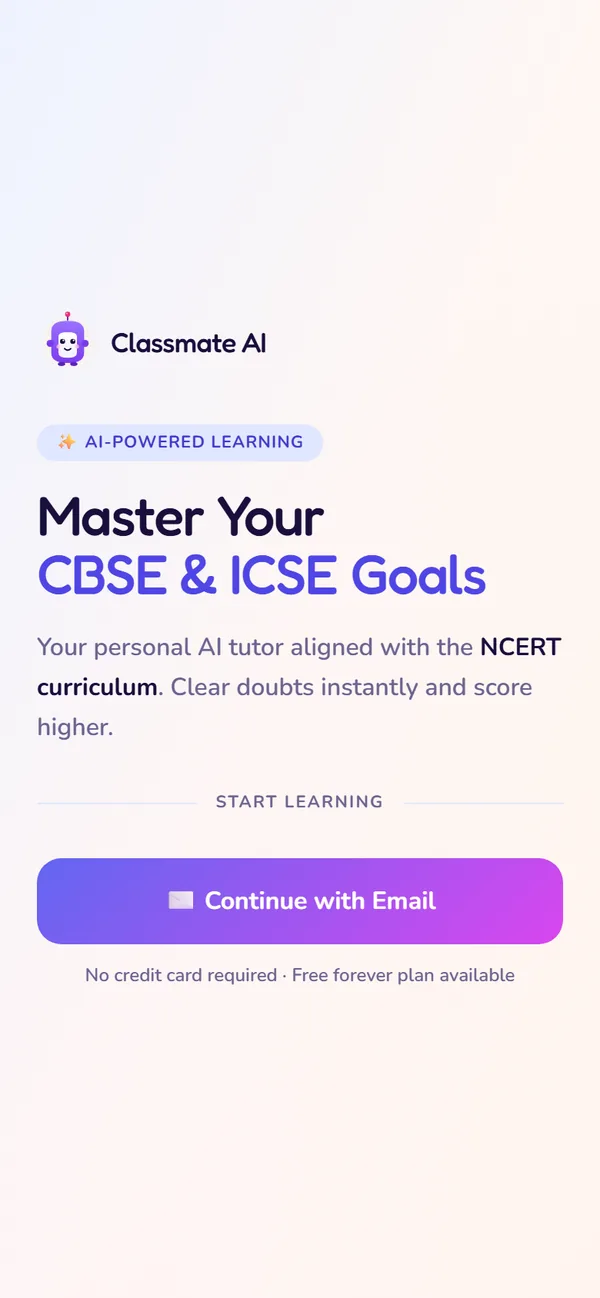
Tap Continue with Email
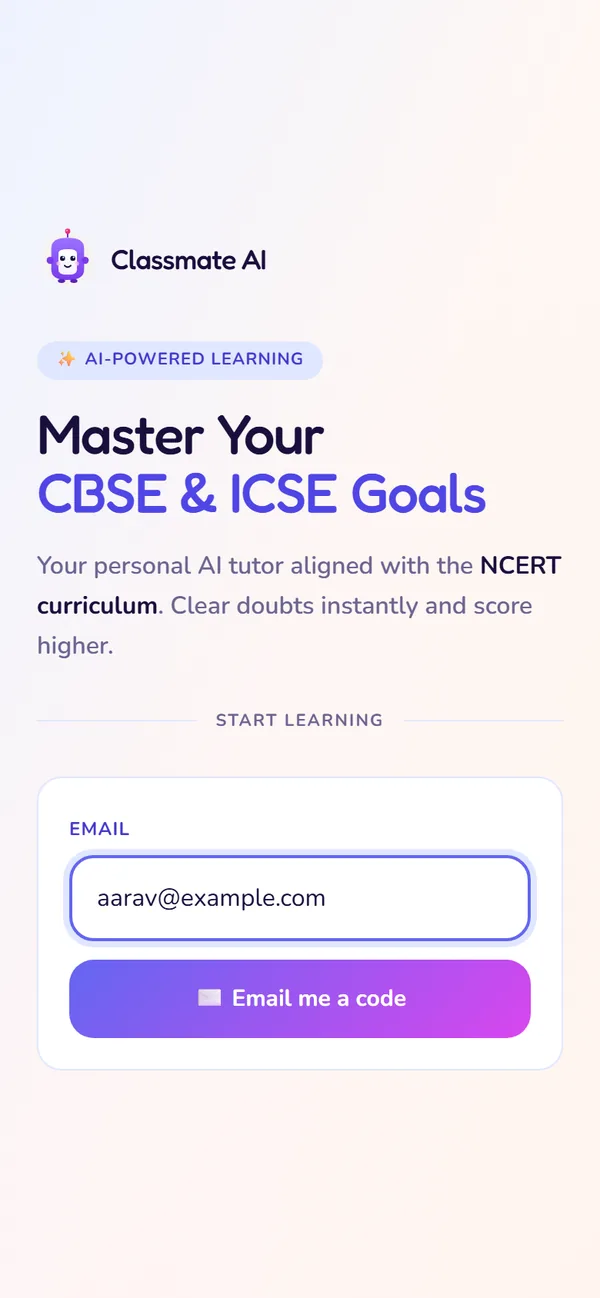
Type your email
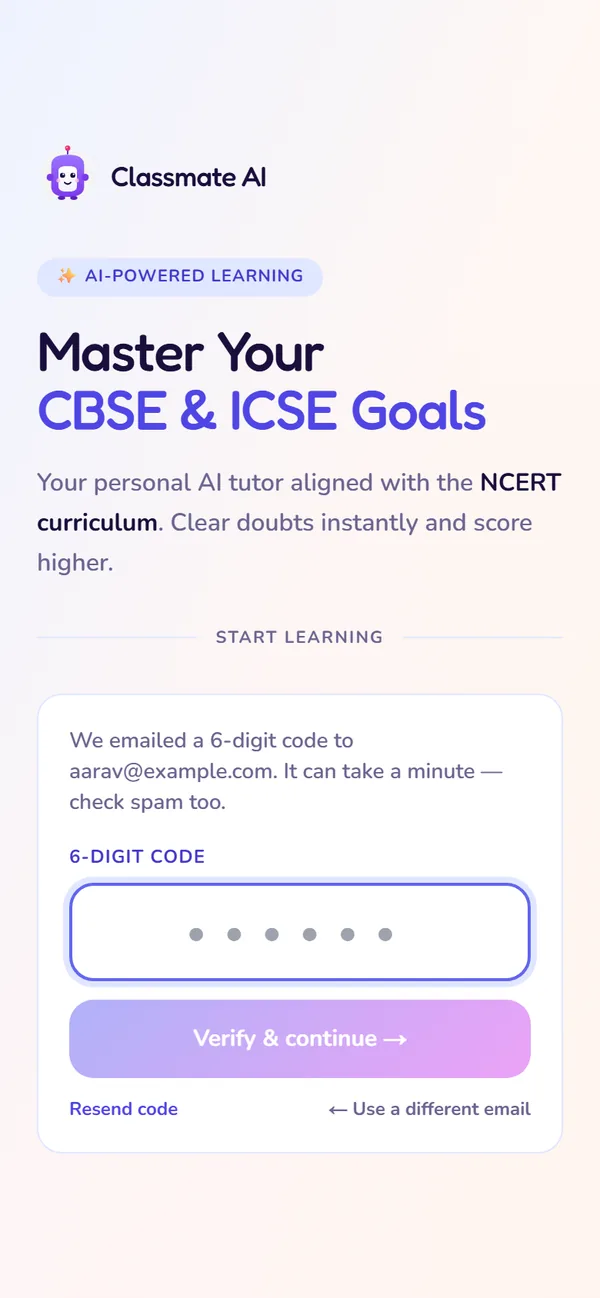
Enter the 6-digit code
What to do
- 1Go to classmateai.in and tap Start free (or Log in).
- 2Tap Continue with Email and type your email address.
- 3Open the email from Classmate AI and type the 6-digit code into the app.
If something goes wrong
Your name, board and class
Three quick screens. Classy uses your board and class to show only your syllabus chapters.
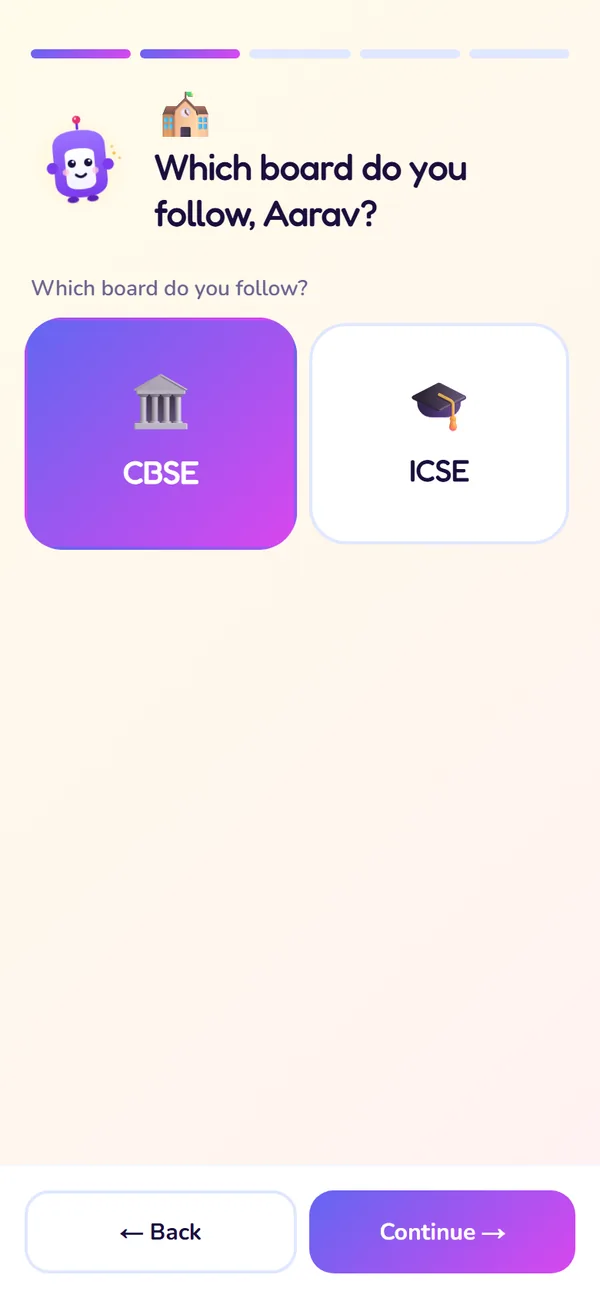
Pick your board
What to do
- 1Type your name and continue.
- 2Choose CBSE or ICSE.
- 3Choose Class 8, 9 or 10. Use Back if you picked the wrong one.
If something goes wrong
Add and verify a parent's email
On the class screen you also add one parent's email. We send them a code to make sure the address is right, so they can follow your progress in Classmate Co-pilot.
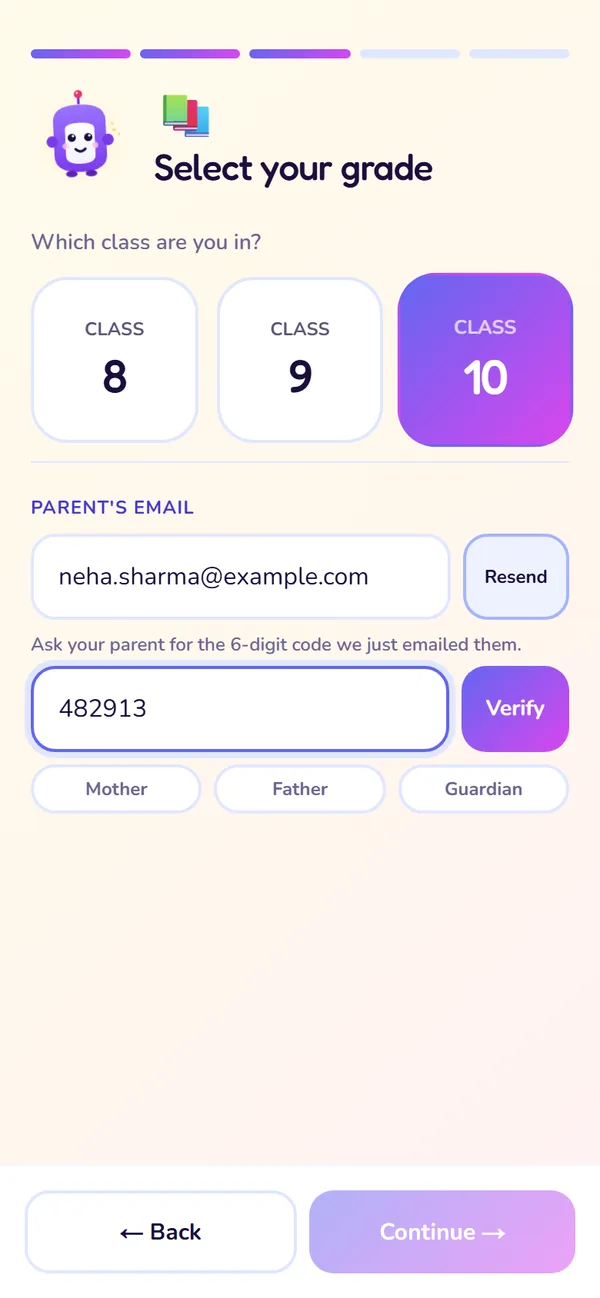
Add and verify a parent's email
What to do
- 1Type your parent's email and tap Send code.
- 2Ask your parent for the 6-digit code from their inbox and type it in, then tap Verify.
- 3Optionally choose Mother, Father or Guardian, then Continue.
If something goes wrong
The warm-up questions
A short warm-up to find your starting point, so your first lessons are neither too easy nor too hard.
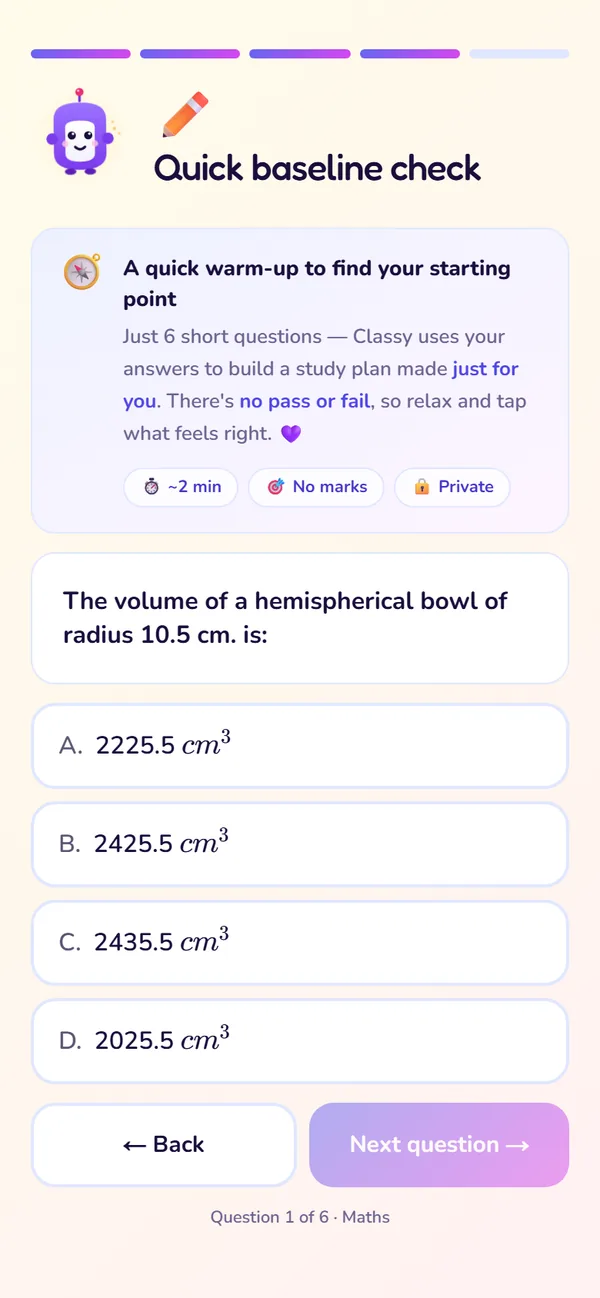
Answer the warm-up questions
What to do
- 1Answer each question as well as you can; it's fine to be unsure.
- 2Tap Next after each answer.
- 3Wait a moment while Classy gets your dashboard ready.
If something goes wrong
Your 7-day trial
Every new student account gets 7 days of Premium free. This screen shows what's included and the date your trial ends.
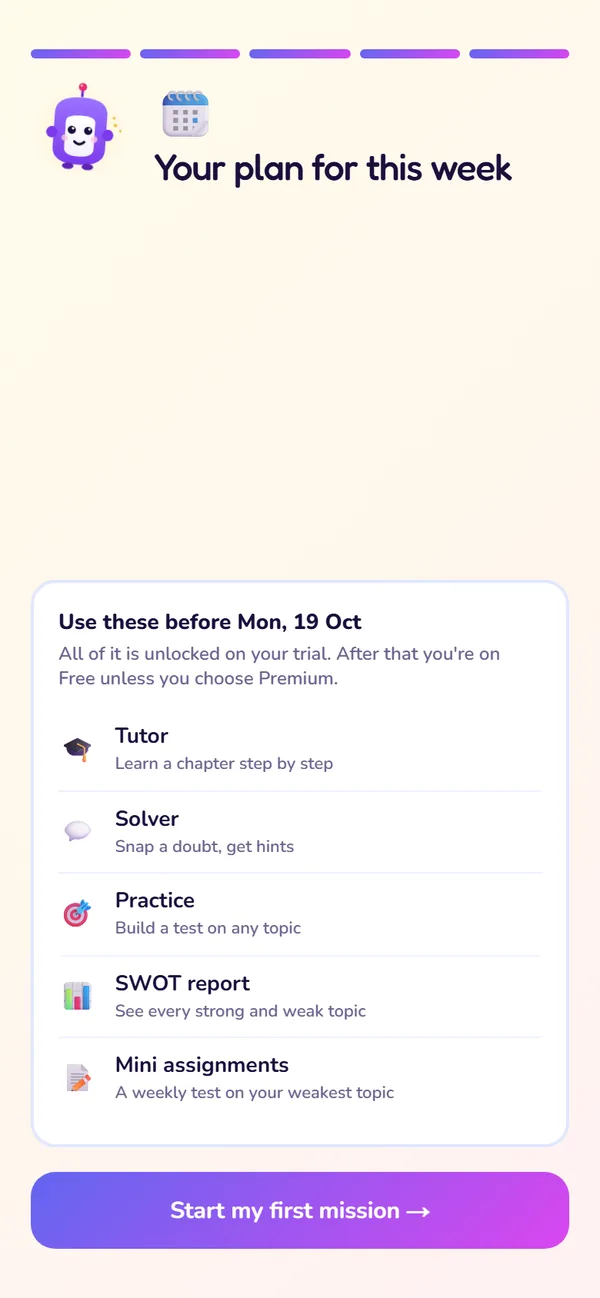
What to try on your trial
What to do
- 1Read the checklist of things to try during your trial.
- 2Tap Start my first mission to go to Home.
If something goes wrong
The app tour
The first time you reach Home, a guided tour points out every tab and card, with what each is for.
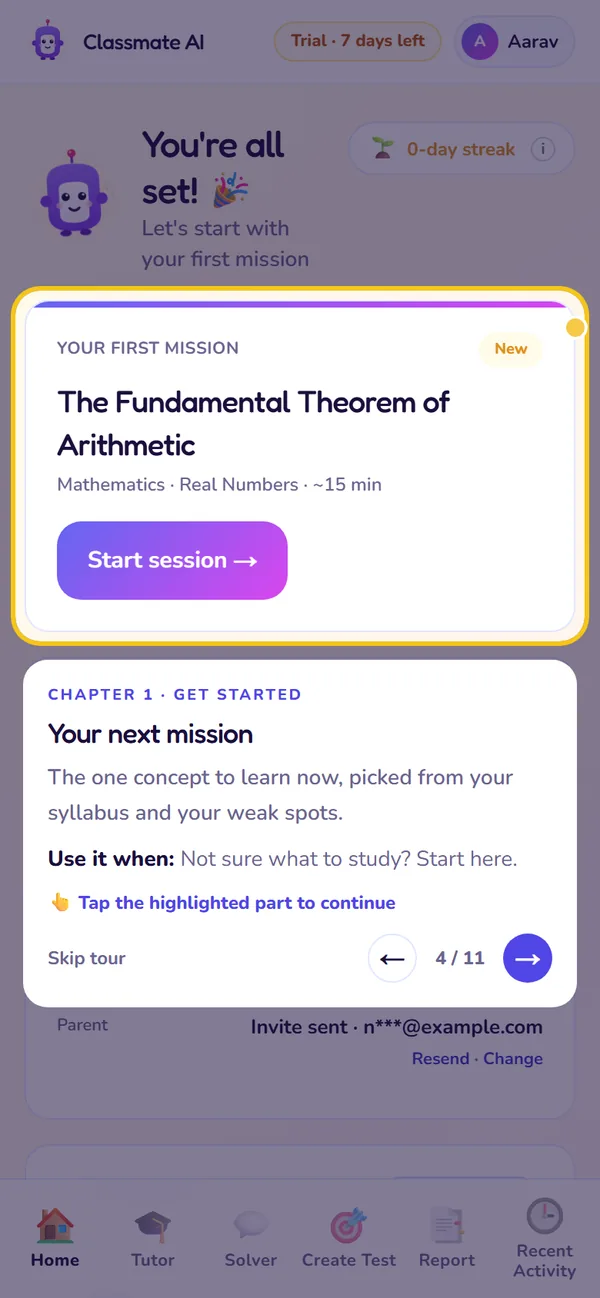
A tour step on Home
What to do
- 1Read each tip and tap → to move on.
- 2Some steps ask you to tap the highlighted button.
- 3Skip any time; reopen the tour later from its launcher.
If something goes wrong
Setup at a glance
What each setup screen asks, why, and whether you can change it later.
| Screen | What we ask | Why we ask | Change it later? |
|---|---|---|---|
| Email + code | Your email address | To create your account and log you in without a password | No. It's your sign-in ID; email contact@classmateai.in for help |
| Name | Your first name | So Classy can talk to you by name | Yes, Profile |
| Board | CBSE or ICSE | To show your board's syllabus only | Email support |
| Class | Class 8, 9 or 10 | To show your class's chapters | Email support |
| Parent email | A verified parent email | So a parent can follow your progress | Yes, Home → Your plan → Parent |
| Warm-up | A few short questions | To set where your lessons start | Not needed |
Email + code
- What we ask
- Your email address
- Why we ask
- To create your account and log you in without a password
- Change it later?
- No. It's your sign-in ID; email contact@classmateai.in for help
Name
- What we ask
- Your first name
- Why we ask
- So Classy can talk to you by name
- Change it later?
- Yes, Profile
Board
- What we ask
- CBSE or ICSE
- Why we ask
- To show your board's syllabus only
- Change it later?
- Email support
Class
- What we ask
- Class 8, 9 or 10
- Why we ask
- To show your class's chapters
- Change it later?
- Email support
Parent email
- What we ask
- A verified parent email
- Why we ask
- So a parent can follow your progress
- Change it later?
- Yes, Home → Your plan → Parent
Warm-up
- What we ask
- A few short questions
- Why we ask
- To set where your lessons start
- Change it later?
- Not needed
Still stuck?
Check Troubleshooting & FAQ, or write to us at contact@classmateai.in.
Was this page helpful? ·