Chapter 7
Recent Activity: find anything you've done
Recent Activity keeps your tutor sessions, solved doubts and tests in one place, newest first, so you can reopen any of them.
- Best for
- Reopening past work
- Time
- Under a minute
- Where
- Activity tab
- Plan
- Free and Premium
The Activity screen
Three lists, newest first.
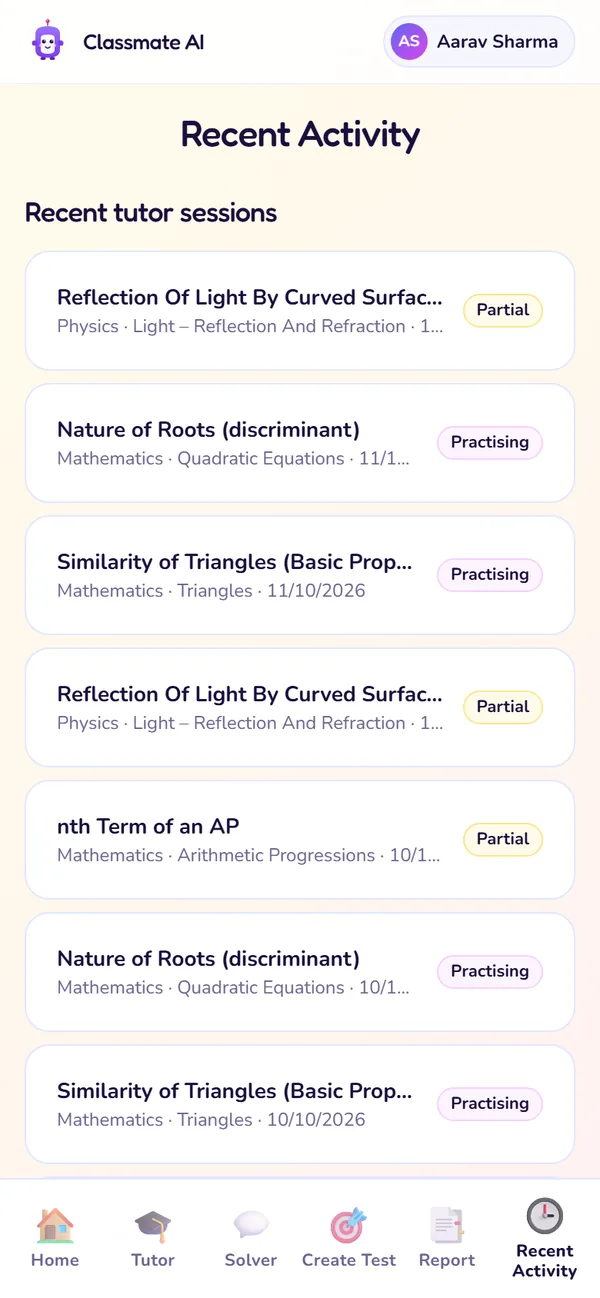
Tutor sessions
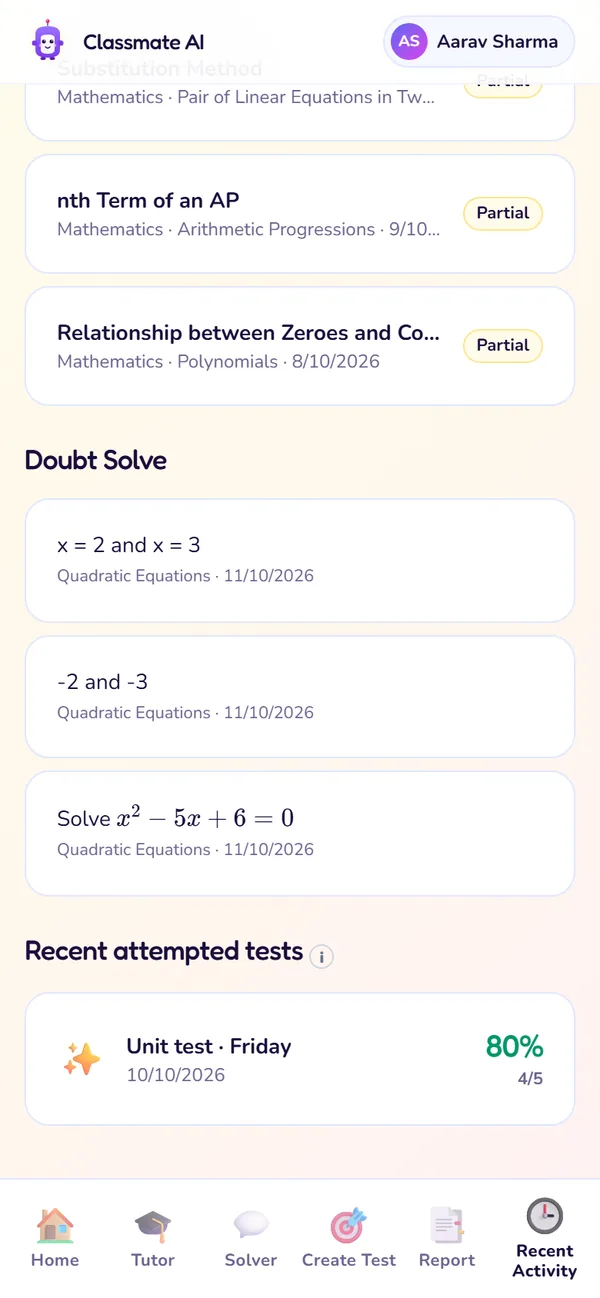
Doubts and tests
1 of 2
- 1
Recent tutor sessions
Every guided lesson, finished or not, with the level you reached.
Use it: To pick up a lesson you left halfway.
- 2
Doubt Solve
Every doubt you've asked in Solver, with the full conversation.
Use it: To look back at a doubt you solved last week.
- 3
Recent attempted tests
Tests and practice sets you've played, with your score.
Use it: To see how a test went before you replay it.
Reopen something, step by step
- 1Open the Activity tab.
- 2Find the list: tutor sessions, doubts or tests.
- 3Tap the item. It opens where you left it.
Tip · Reopening an unfinished lesson doesn't use one of your Free lessons for the week.
Questions about Recent Activity
Why is my Activity empty?
Nothing has been saved yet. Your first lesson, doubt or test will appear here.
Can I delete something from Activity?
Not from the app. Email contact@classmateai.in if you need something removed.
Still stuck?
Check Troubleshooting & FAQ, or write to us at contact@classmateai.in.
Was this page helpful? ·